Free commission tracker template
A simple spreadsheet to track every deal you sell — what you're owed, what you've been paid, and what's still outstanding. Built for individual sales reps. No email, no catch.
Free forever · Excel (.xlsx) or a one-click Google Sheets copy · works in Numbers too.
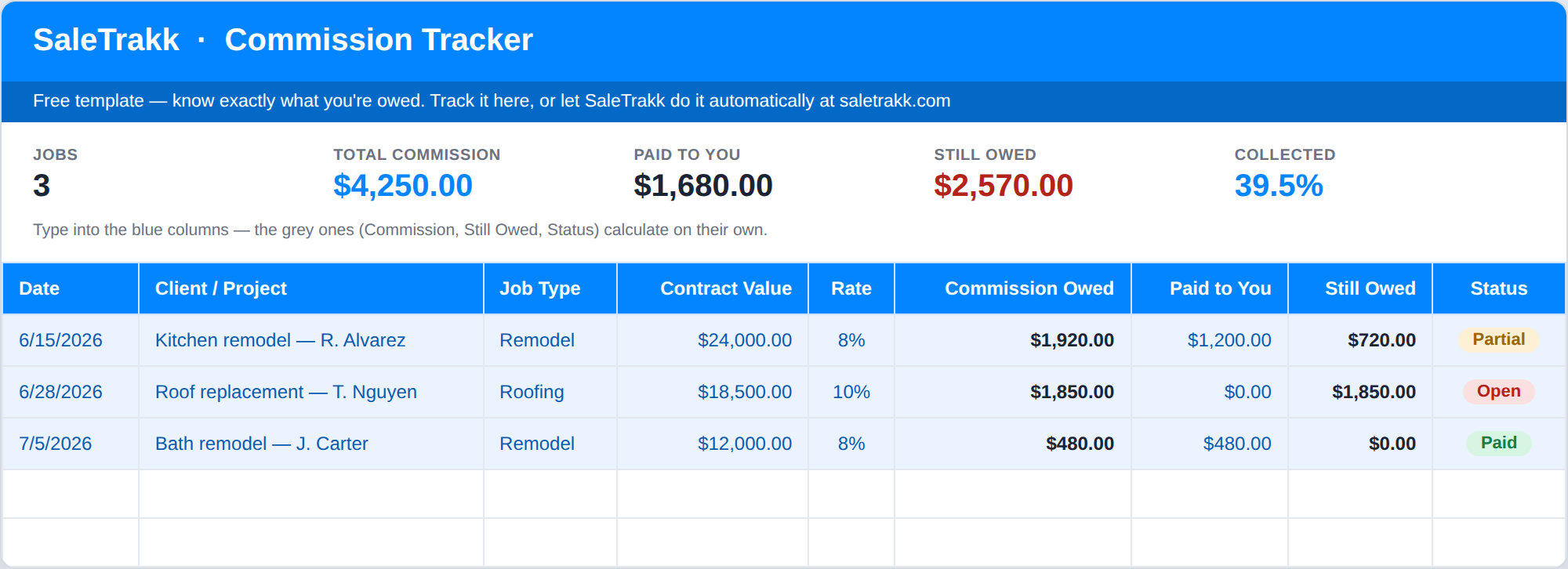
A peek inside the template — your deals, commissions, and what's still owed, all in one view.
Every deal in one place
Log each deal with its contract value, your rate, and any split. One row per deal.
Math done for you
Commission owed, amount still outstanding, and a Paid / Partial / Open status all calculate automatically.
A running total
Summary at the top tallies your total commission, what you’ve collected, and what you’re still owed.
Ready to use
Three example rows show you the format — delete them, drop in your own deals, and you’re tracking.
The free commission tracking spreadsheet built for sales reps
Most commission tracker spreadsheets are either a blank grid you have to build yourself or a generic template that doesn't match how sales reps actually get paid. This one is different: a ready-to-use commission tracker for Excel and Google Sheets that already does the math. Enter each deal's contract value, your commission rate, and your split, and it works out exactly what you're owed, what you've collected, and what's still outstanding.
It's built for individual sales reps — home improvement, roofing, remodeling, solar — who earn commission and want to make sure every dollar actually lands. No formulas to write and no setup: download the sales commission tracker, delete the three example rows, and start logging your deals.
And when tracking commissions by hand starts to get heavy — more deals, partial payments, and pay periods than a spreadsheet can comfortably hold — SaleTrakk picks up where the template leaves off and does the whole thing automatically.
Not sure which one you need? We wrote up the five points where a commission tracking spreadsheet stops keeping score correctly — tiered rates, partial payments, clawbacks, aging, and being stuck at your desk — plus a three-question test for whether it already has.
Two ways to stop getting shorted.
Do it by hand with the free template, or let SaleTrakk do the whole thing for you.
The template you just downloaded. Log your deals and it tallies what you're owed. Costs nothing but your time.
Download for Excelor open in Google SheetsOne missed commission pays for SaleTrakk for years.
Log a deal in seconds, track every payment, and see exactly what you're owed in real time — automatically, on your phone in the field.
Start free trialQuestions
Is it really free?
Yes — download it, keep it, use it forever. No email required, no catch.
Does it work in Google Sheets?
Yes — there’s a one-click “Open in Google Sheets” button that drops a ready-to-use copy straight into your own Google Drive. It also works in Microsoft Excel and Apple Numbers.
How does it know what I’m owed?
You type in each deal’s contract value, your commission rate, and your split. It multiplies those for your commission, subtracts what you’ve been paid, and shows what’s still outstanding.
What if I outgrow it?
That’s exactly what SaleTrakk is for. When you’re juggling more deals, partial payments, and pay periods than a spreadsheet can comfortably hold, SaleTrakk does all of it automatically for $9.99/month — and you can import this spreadsheet straight into it, so there’s nothing to retype.