Commission Tracking Spreadsheet vs. App: When to Switch
Let's start with the part nobody selling software wants to say out loud: a commission tracking spreadsheet is good. It's free, it's yours, it works offline, nobody can take it away from you, and it will happily outlive three employers. If you're closing a handful of deals a month and your spreadsheet tells you what you're owed, you do not need an app. Use the spreadsheet.
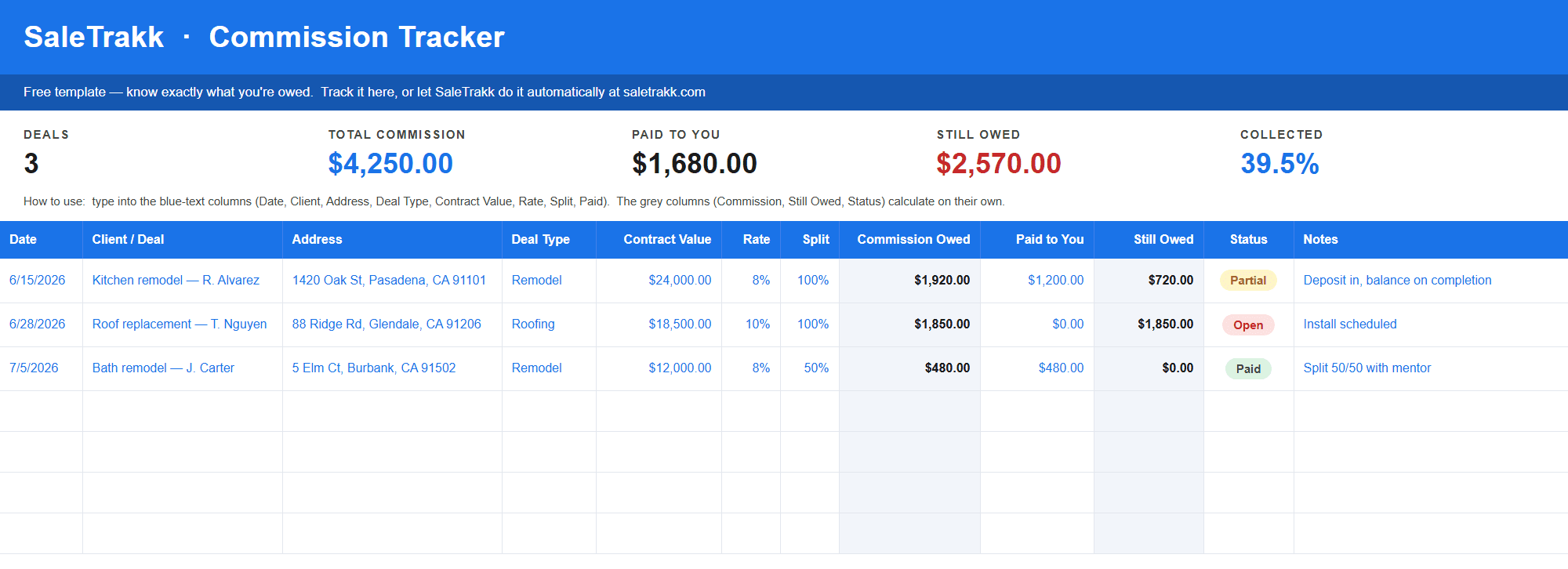
But there is a line. Not a volume line — it's not “20 deals and you've outgrown it.” It's a shape line. Certain things about how commission actually gets paid can't be expressed in a row and a column, and once your pay plan includes them, your spreadsheet doesn't just get tedious — it starts being quietly wrong. Below are the five places that happens, in the order most reps hit them.
1. Tiered rates break the rate column
Almost every commission tracking spreadsheet, including ours, has one column for your rate. Contract value × rate = what you earned. That works perfectly right up until your comp plan pays you differently on different portions of the same deal.
Say your plan is 6.5% on the first $10,000, 8.5% on the next $10,000, and 10% on everything above that. You sign an $80,000 job. Your commission is:
Now try to put that in a rate cell. There isn't a percentage you can type that produces $7,500 from $80,000 — well, 9.375% does, but you'd have to calculate the answer first to know that, which defeats the point. And it's a different number on every deal, because the blend depends on contract size.
What reps do instead is pick a rate that's roughly right. Type 10% and you've told yourself you're owed $8,000 — you're $500 over, and you'll go argue for money you were never owed. Type 8% and you're at $6,400 — you're $1,100 under, and if the check comes in light you won't even notice, because your own sheet says you got more than expected.
That second one is the dangerous case. A spreadsheet that under-states what you're owed doesn't feel broken. It feels fine. It just quietly stops catching short payments.
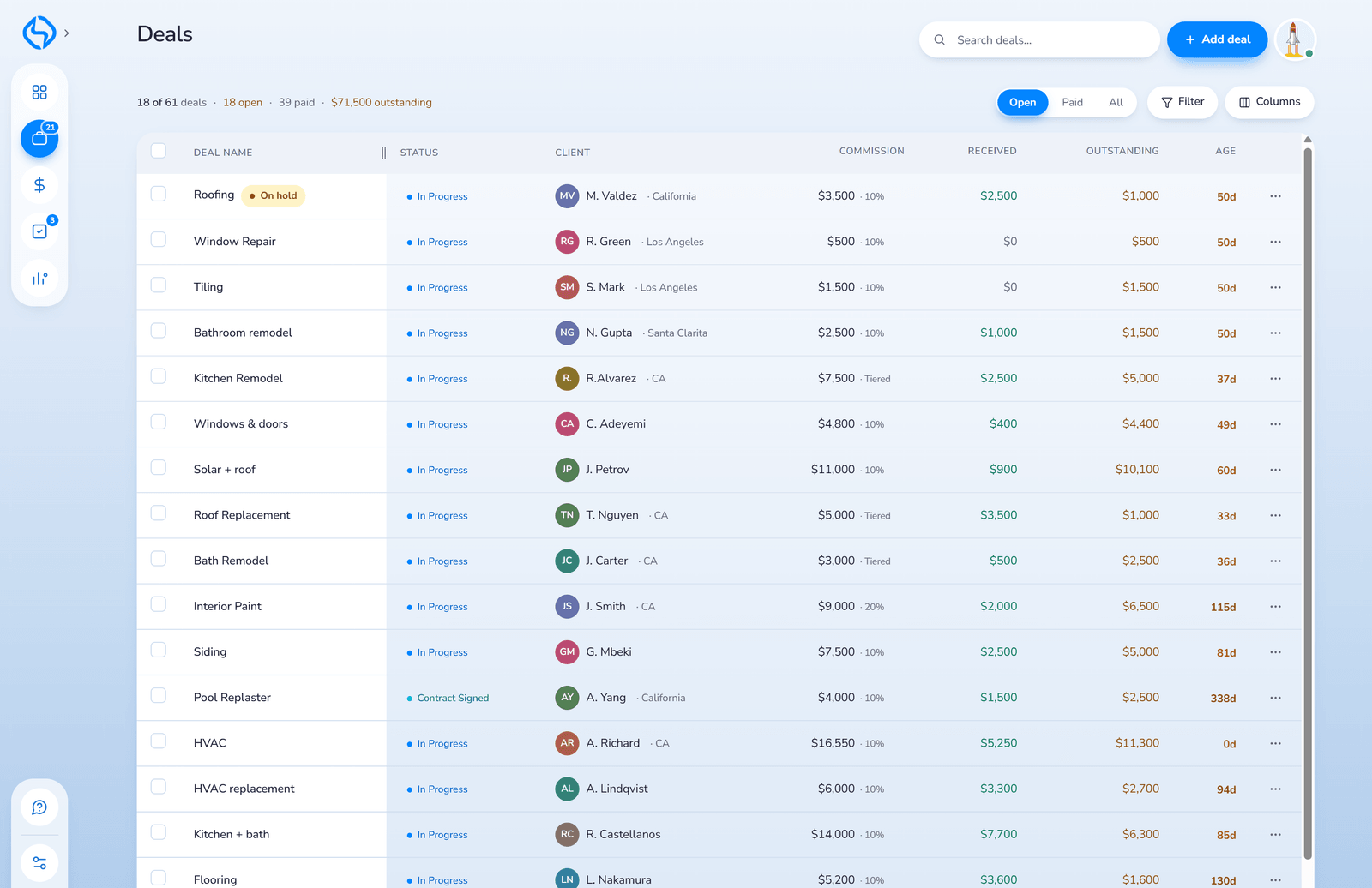
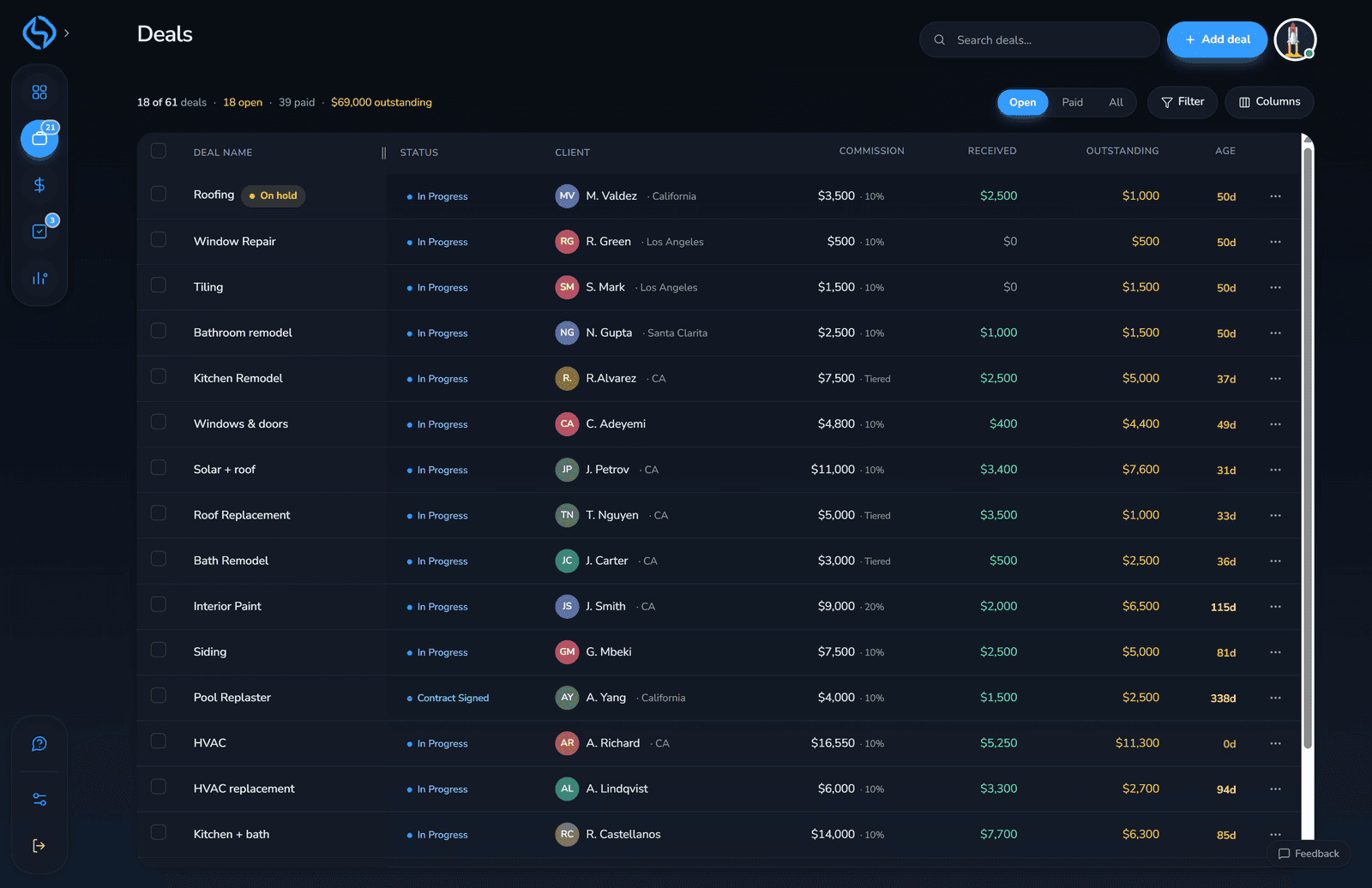
2. One “Paid” cell can't hold three payments
In home improvement the money almost never arrives once. There's a deposit, sometimes a progress draw at install, and a final check after completion — spread across weeks or months, often across two or three pay periods.
A spreadsheet handles this with a single “paid to date” number that you overwrite each time. Which means the moment you type the new figure, the old one is gone. You know you've been paid $2,500 on that kitchen remodel. You no longer know whether that was one payment or two, or when either landed, or which draw is the one that never showed up.
You can fix this in a spreadsheet — a second tab, one row per payment, a SUMIF back into the deal row. Plenty of people do. But you've now built a small database with formulas pointing across sheets, and that is exactly the kind of structure that breaks silently when you insert a row in the wrong place six months from now.
3. Clawbacks are where spreadsheets actively lie
This is the one that costs reps the most, and it's the least obvious. A customer cancels, or finance reverses a deal, and the company takes back commission they already paid you.
There are two completely different versions of that, and they need opposite math.
If you wrote a cheque back, money genuinely left your pocket. Your total received goes down. Fine — subtract it.
But most of the time you didn't write a cheque. The company recovers it by shorting your next few checks. And here's the thing: in that case the money never leaves your pocket at all. Your future payments are simply smaller. The clawback reduces what you are still owed — it does not reduce what you have already kept.
Subtract a withheld clawback from your cash received and you've counted it twice: once when the future check came in smaller, and again when you subtracted it by hand. Your year-to-date income now reads lower than what actually hit your bank account, and you will never work out why.
A spreadsheet has no idea which kind of clawback it's looking at. It has a number and a minus sign. The distinction lives entirely in your head, on a row you'll re-read in eight months with no memory of which one it was.
4. A spreadsheet knows the balance. It doesn't know it's old.
Your sheet can tell you a job still owes you $3,000. What it won't do is tap you on the shoulder and say that balance has been sitting there for 97 days while your other deals paid out in about 30.
You can add a days-outstanding formula, and you should. But a formula only helps if you go looking. The whole failure mode here is not going looking — the deal that gets forgotten is by definition the one you stopped thinking about. Sorting oldest-first is a thing you have to remember to do, about a job you've already forgotten.
There's also a subtler trap: two zeros aren't the same zero. Nothing outstanding because everything got paid, and nothing outstanding because every balance is on hold, look identical to a SUM. One is good news. The other is $40,000 you should be chasing.
5. It's only as current as the last time you sat at your desk
You close in a driveway. You log payments at a kitchen table or from the truck. Your spreadsheet is on a laptop at home.
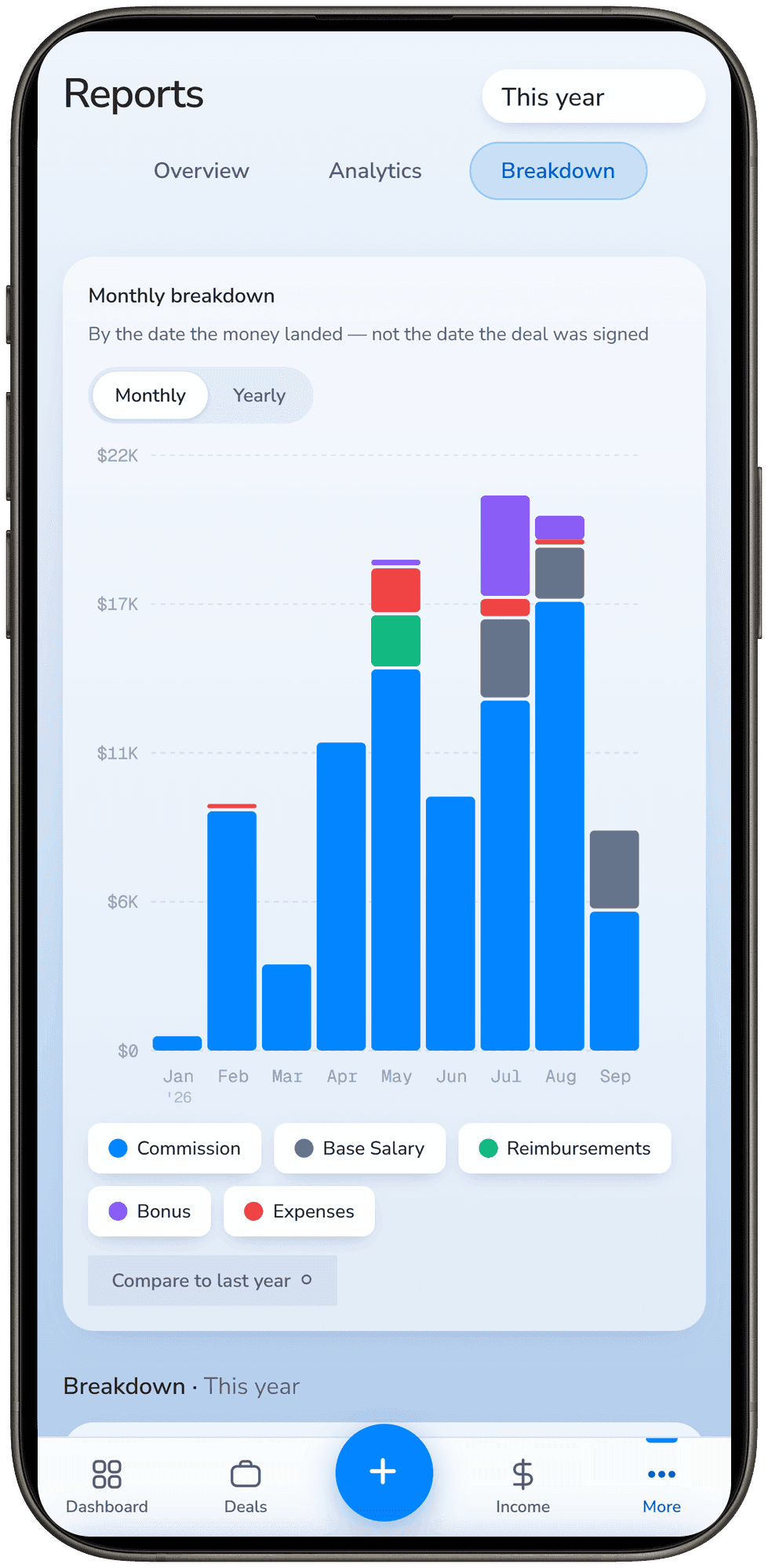
So there's always a gap between what you know and what's written down, and it's widest exactly when you're busiest — which is when things get missed. Cloud sheets help on a phone, but anyone who has tried to type into a 12-column spreadsheet on a 6-inch screen with one hand knows how that goes. You tell yourself you'll enter it tonight. Sometimes you do.
Side by side
The same five things, condensed. Note the top of the table: a spreadsheet wins the first three rows outright, and those three are the reason it's still the right answer for a lot of reps.
| What you need | Spreadsheet | SaleTrakk |
|---|---|---|
| Cost | Free, forever | $9.99 a month |
| Works with no signal | Yes | Needs a connection |
| Yours if you walk away | Yes — it's your file | Download it as Excel or CSV, then yes |
| A flat rate on a whole contract | Handles it | Handles it |
| Tiered or split rates | One blended rate you work out yourself | Tier math run per deal |
| Three payments on one deal | A second tab and a SUMIF | Each payment its own dated row |
| Withheld vs. repaid clawback | No way to tell them apart | Two different things |
| How long a balance has sat | A formula you have to remember to check | Sorted oldest-first, unasked |
| Logging a payment in the driveway | Twelve columns on a six-inch screen | Built for it |
The honest test
Forget deal counts. Ask yourself three questions, right now, without opening anything:
- What are you owed in total today? Not roughly. To the dollar.
- Which unpaid deal has been sitting the longest, and how long?
- If your next check came in $300 light, would you catch it?
If you answered all three, your spreadsheet is doing its job and you should keep it. If you hesitated on any of them, that's not a discipline problem — it's the tool asking you to do work it should be doing for you.
So which one should you use?
Stay on the spreadsheet if your rate is a single flat percentage, payments usually arrive in one go, and you can answer those three questions. That describes a lot of reps, and there is no prize for paying for software you don't need. If you don't have a sheet yet, take our free commission tracker template — it's Excel and Google Sheets, the formulas are already in it, and it costs nothing.
Move to an app when your comp plan has tiers or splits, when money arrives in pieces, when clawbacks are part of your life, or when you've caught yourself unsure whether a job was paid. That's not you failing at spreadsheets. Those four things are the ones a grid genuinely cannot model without becoming a database you have to maintain.
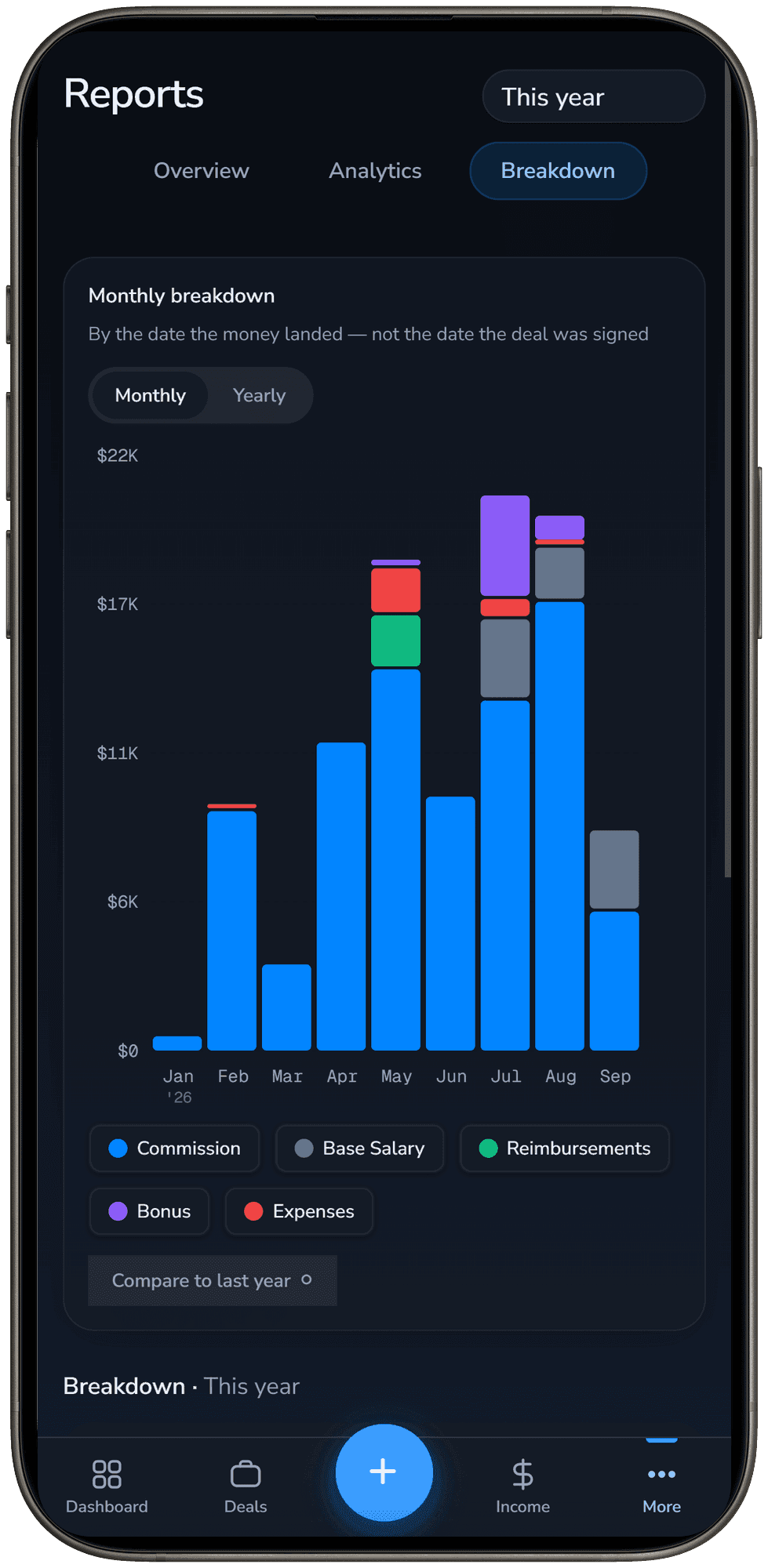
SaleTrakk exists for that second case. It runs the tier math per deal instead of asking you for one blended rate, keeps every payment as its own dated row, knows the difference between a clawback you repaid and one that's being withheld, ages every outstanding balance without being asked, and lives on your phone so a payment gets logged in the driveway rather than remembered until Sunday. It's $9.99 a month, which is less than one missed progress draw, once.
What doesn't change either way
Whichever you pick, the thing that actually gets you paid correctly is the same: a record of what you sold, what you're owed on it, and what has actually landed — written down at the time, not reconstructed from memory when a number looks wrong. A spreadsheet you keep up is worth more than an app you don't open.
If you want the mechanics of that — what to write down, when, and which numbers are worth checking against your pay stub — we wrote a whole post on how to track your commissions without getting shorted. It applies either way.
Pick whichever one you'll actually use, and start today. The commissions you can't prove are the ones you quietly lose.
Not sure which you need?
Start with the free template. If it stops keeping up, SaleTrakk is free for 30 days and no card is needed to find out.